Links You’ll Love
AllSides for Schools is a great resource with guidance to help students build skills in news literacy, bias awareness, critical thinking, and conversation across difference.
I really enjoyed this Wired Magazine article about raising kids in the digital media age.
I love me some Flipgrid! Here are some tips to using it in the classroom.
Check out Dicta – a really well done Hebrew/English website that offers analytical resources for Hebrew text, including a citation finder and the capability to add automatic nikudot.
Links You’ll Love
If you need another reason to promote creativity in the classroom, here’s an article that discusses the rewards.
Ancestry.com has a public site available to search Holocaust records. You will need to create an account in order to access the information.
It happens to all of us – while traveling, you get that panicked feeling that your phone or tablet will run out of juice. Before you use a public USB port to charge a device, read this article.
NASA just made their entire video and image library available online. It’s filled with so many pretty pictures! Check it out here.
Links You’ll Love
Go topo-loco! The US topographic map project endeavors to map the Nation’s topography, providing both current and historic map views. Check it out!
Educaplay is a gaming site that allows you to create various types of games, including matching games, memory games, word search puzzles and more. You can snag a free basic account with just your Google credentials.
Links You’ll Love
If you’re teaching about using primary sources, DocsTeach is a good resource. Hosted by the National Archives, DocsTeach allows you to save and share the primary sources as well as create, save and share teaching activities.
The Newseum offers free virtual classes on a variety of subjects, including media literacy, freedom of speech and online trolling. Classes range from 30-50 minutes long and are adjustable to any bell schedule. And did I mention they’re free? Learn more here.
Name the Rover! Kids in kindergarten through twelfth grades are invited to submit their suggestions (in 150 words or fewer) for the name for the next Mars Rover. To learn more about the mission to Mars and the contest, check out the site here.
This blog post has links to some great wordless movies that you can use to inspire your students to talk about problem solving. Sadly, the first video is blocked for using copyrighted content (boo, Disney!), but the others are available and very nice.
Links You’ll Love
Google Assignments is a new feature that allows you to assign via Google Docs, creating a unique document per student. It’s separate from Google Classroom and in beta testing right now. One of its coolest features is the ability to analyze authenticity (in other words, plagiarism). Sign up to beta test here.
Did you know you can investigate artworks, collections and stories from around the world via the Google Cultural Institute? Would you like to “get to know” Sigmund Freud or Frederick Douglas? Learn about the invention of the espresso machine? Visit the Google Cultural Institute here.
Links You’ll Love
Mathschase is a fun site to review multiplication. No sign up required and looks like it’s completely ad-free.
If you’re a fan of Boomerang, you’ll be happy to know that now you can schedule your Google emails right in Gmail. You’ll notice that there’s a little drop down menu next to “Send” – just click on that and schedule when your email will be sent.
Do you want to build a (virtual) sukkah?
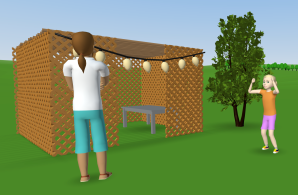 Yes, I know it’s May.
I’m already starting to think about we’re going to use VR/AR next year and authentically connect it to general or Judaic studies. Our fourth grade does a wonderful project where they design a sukkah, reduce its proportions in math and then create a 3D design using Tinkercad which we print. So what comes next?
I’d like to have my fifth graders use CoSpaces to create a virtual sukkah to which they can add elements like the brachot, lulav and etrog models, and then do some creative coding. Could they have lights? Could they wave the lulav? Make a blessing?
CoSpaces is my choice because it’s easy to get the basics down but really limitless in terms of coding. It’s reasonably priced and you can set up classes and assign spaces to groups of kids so they’re working collaboratively but simultaneously. That wasn’t exactly intuitive to figure out and I plan to have another post about exactly how to do that.
CoSpaces has building materials but there was nothing that was lattice-like for a sukkah. I was able to create one in Tinkercad, though, and import it. You can also use Blender or SketchUp, but I was going for quick and easy at this time.
Here’s the space so far if you want to play. More to come.
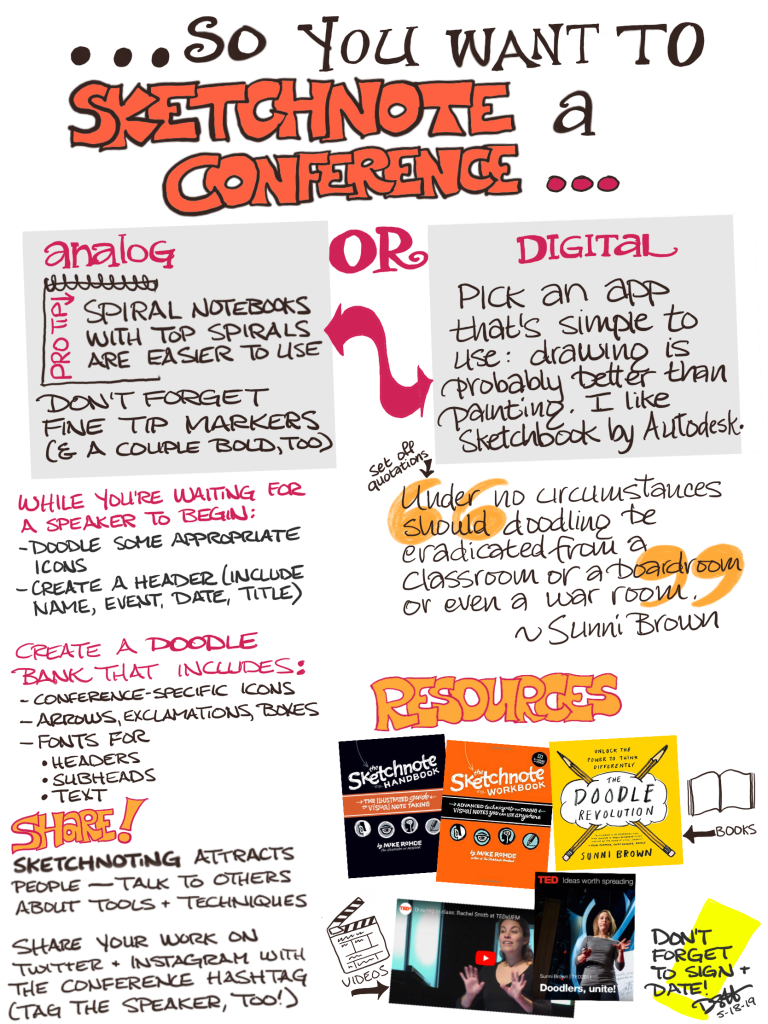
Sketchnoting in school
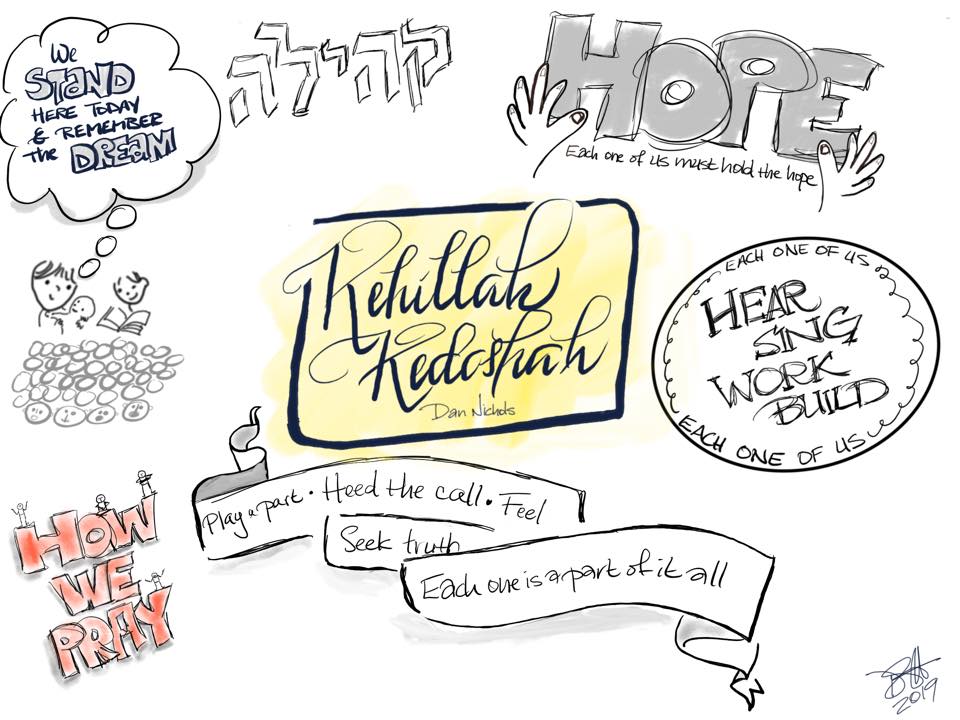
I’m starting a three-session unit on sketchnoting with my 7th and 8th graders today. Here’s my interpretation of Dan Nichols’ Kehillah Kedoshah – we’ll see what they come up with.
Links You’ll Love
Design Thinking is an approach to problem solving that can be implemented in any setting. Here are some awesome resources if you’re thinking about trying it with your students:
Five Chairs Exercise we used in January (I do this with the third and fourth graders)
About

Debbie Harris is the director of educational technology at the Sager Solomon Schechter Day School in Northbrook, IL. Involved in Jewish education for over thirty years, she has an education degree from Northwestern University with a concentration in instructional media and a master’s degree in professional Jewish studies from Spertus Institute for Jewish Learning and Leadership. She is skilled in using and teaching desktop publishing, video editing, presentation and animation software; and consults and presents regularly on integrating technology into Judaic studies. Her students podcast, blog, edit video and create claymations. She co-chaired the technology track for CAJE 33 in Vermont, is a SMART Certified Trainer for SMART Notebook, and a 2011 recipient of the Grinspoon-Steinhardt Award for Excellence in Jewish Education.

When not learning, teaching or writing about technology, Debbie likes to sketchnote and craft. She likes to knit, do calligraphy, sew, watercolor, paint fabric and just generally play with fun toys like scrapbooking supplies and anything with texture. Debbie travels to California every summer to paint tallitot with high school aged campers. Finally, she is incredibly proud of her two daughters; Lori, who teaches English at a community college; and Allie, who is the director of the URJ’s Camp Newman in California.
Look for her at:
Debbie Does Desktop
Flickr
Twitter
Diigo
YouTube
Ravelry
Email Debbie here
 MuseForJews